Conversation statuses and richer response flagging
April 8, 2024
New: Conversation status 🎉
Keeping track of conversations just got easier!
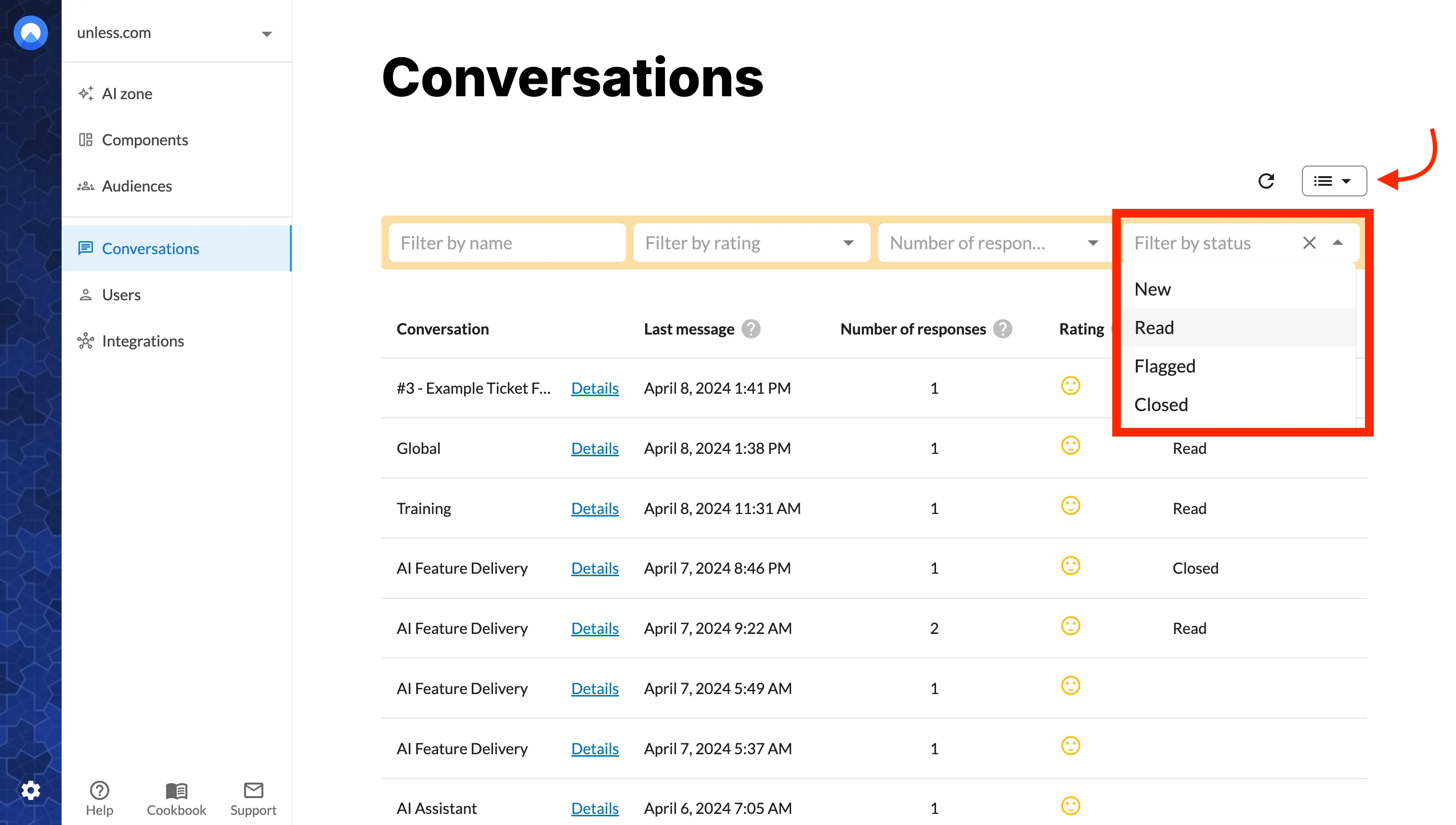
From now on each conversation will have a status, starting with New and switching to Read once you’ve opened up the details page for that conversation.
Most importantly, you can see which responses have been flagged since the conversations list can be filtered for the Flagged status and in the details view the flag icon will have a red outline.
If the reason for the flagging is that the AI didn’t have the answer or gave a wrong answer but the issue has been resolved (eg. by adding or updating sources), you can then change the status to Closed. This makes it easier for your team to be on the same page and direct their attention to where it’s needed.
More functionality when flagging a response 🚩
It is now possible to flag repsonses as part of your internal evaluation and not just for reporting issues to the Unless team. This way, when analyzing conversations, you can flag responses and leave notes for your colleagues describing what the issue is and/or what the answer should have been.
Reporting a flagged response to the Unless team as a technical bug is now optional.
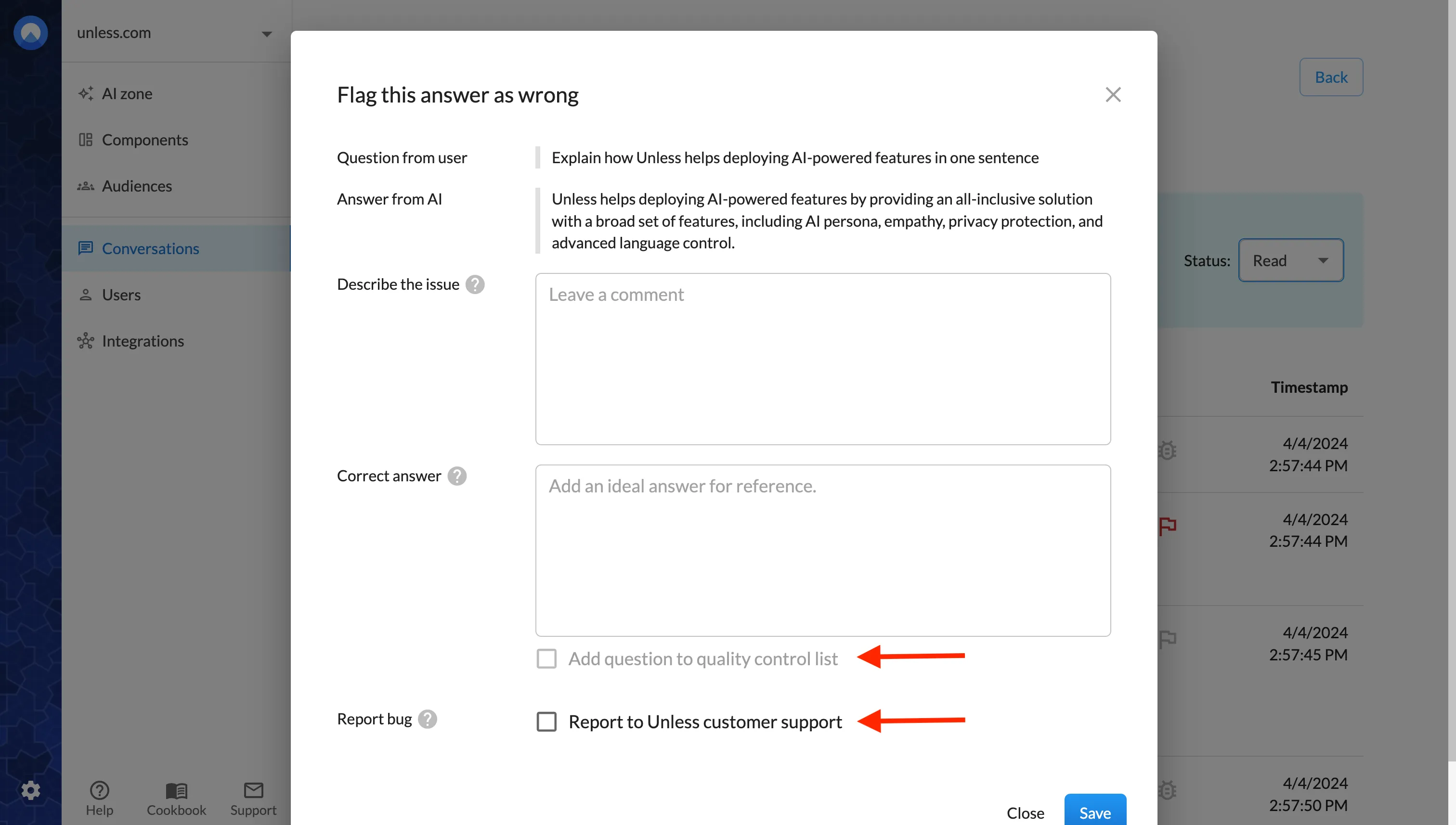
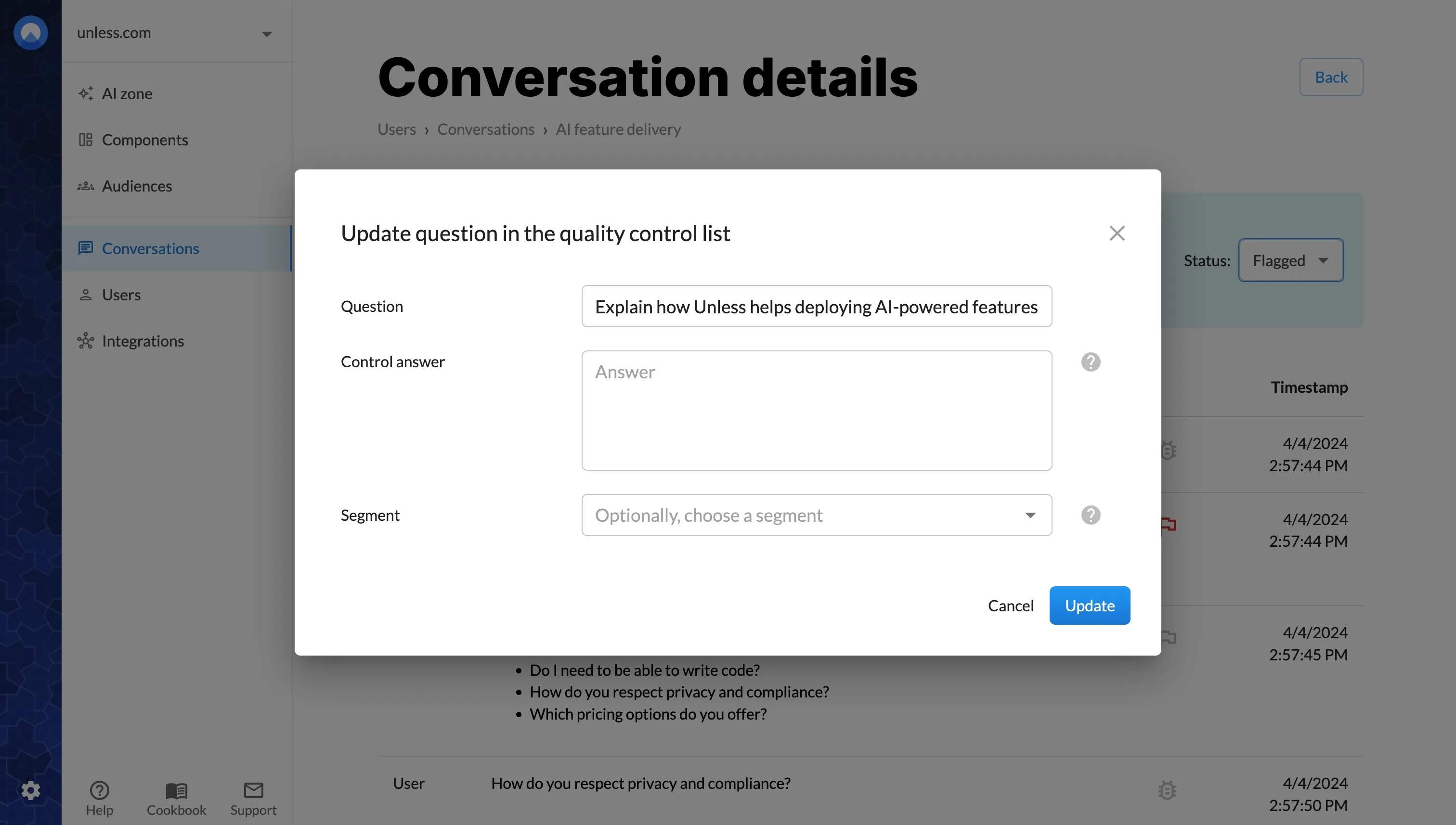
At this stage, you can also add the question to your Control questions. Don’t worry if the question isn’t how you would structure it. Once you click save, you will have the possibility to edit the question and the control answer.